The weekly report says the “Book a demo” button has a low click rate. The usual suggestions arrive quickly: make it brighter, move it higher, make it say “Let's talk”. Perhaps one will help. Perhaps the visitor never saw the reason to book in the first place.
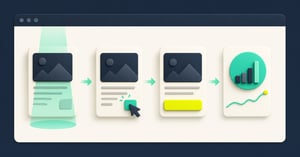
A call to action (CTA) asks a visitor to take a next step. Before editing the button, follow the page as a person would: they arrive with a question, encounter an answer or some proof, notice an action, decide whether the effort feels worthwhile, then try to complete it. A click count only sees one moment. Measuring the steps around it gives you a better reason to change the page.
The aim is not to claim you can read a visitor's mind. “Attention” is usually a set of imperfect clues: what was available, what entered the screen, what the visitor chose and what happened next. Name those clues honestly.
Start with the promise that brought the visitor here
Suppose an ad promises “See how the toolbar works on mobile”. The landing page opens with a general company statement, then asks for a demo before showing the mobile example. A visitor who leaves has given you a useful clue about the journey, but no proof that the CTA colour was wrong.
Trace four things before opening an analytics report: what the ad or link promised; what the page immediately showed; what evidence the visitor needed; and what the button asked them to do. If those do not line up, repair the page's post-click message match. That means the page after the click carries through the promise that earned the click. Here, show the mobile toolbar example and its limits before asking for a meeting. This Barrava guide to post-click message match explains the steps in more detail.
An honest diagnosis can also conclude that the CTA is fine. If paid traffic expected a pricing answer and lands on a broad thought-leadership page, changing “Book a demo” to “Get started” may only hide the mismatch.
Separate the chance to see from actual attention
There are several points at which a person could miss an action. It might not render on that page or device. It might be present but sit below the visible screen. It might enter the screen while the person is doing something else. It might be noticed and rejected. Those are different problems.
Define a few signals that distinguish them:
| Signal | What you can reasonably say | What you cannot say |
|---|---|---|
| Eligible session | The page and targeting rules made the action available | The visitor saw it |
| Component load | The bar or CTA was rendered | The visitor looked at it |
| Viewable exposure | A defined part of the element entered the browser's visible area for a defined time | The person read or understood it |
| Proof interaction | Someone opened a comparison, played a demo or used a relevant detail | They believed the proposition |
| CTA interaction | Someone clicked, tapped or activated it by keyboard | They completed the next step |
| Confirmed outcome | The form, booking or purchase system recorded completion | This one CTA caused it |
Viewable exposure is a deliberately defined opportunity to see something. For example, the site might record when at least half of a product-proof panel is in the visible area for one second. The browser's Intersection Observer standard can report whether an element intersects the viewport. It cannot report what a human noticed. Choose the threshold before comparing pages, and keep the same rule across devices.
Do not install a forest of events just because you can. Start with the one piece of proof and one action that matter to the page's decision. Track a second thing only when it could change your next move.
A worked diagnosis: the demo button that looks weak
Illustrative example; these are not Barrava or customer results. A team has one product page and an attached “Book a demo” action. Its aim is suitable meetings. The team checks a week of consented, eligible sessions and connects the steps at session level, rather than dividing totals from unrelated tools. Each row below counts sessions that reached the prior step; visitors who click before encountering the proof are a separate path to inspect.
| Step | Sessions | First question |
|---|---|---|
| Eligible product-page sessions | 1,000 | Did targeting and consent rules stay comparable? |
| Bar confirmed loaded | 900 | Why are 100 eligible sessions missing a load? |
| Main product proof met the agreed viewable-exposure rule | 540 | Is the proof too far down, too slow or hidden on mobile? |
| Demo action activated at least once | 72 | Did people who encountered proof choose the next step? |
| Booking tool recorded a confirmed meeting linked to the journey | 18 | Is the calendar hand-off or commitment putting people off? |
The naive report says “72 clicks” and asks for a stronger button. The sequence points to three separate investigations. First, find out why 100 eligible sessions have no confirmed bar load. Of the remaining 900, the product proof did not meet the viewable-exposure rule in 360 sessions; a mobile layout review may show that the best demonstration sits beneath a long feature list. Then watch the booking hand-off. If the calendar lacks useful times or opens awkwardly on a phone, button copy is unlikely to solve the bigger loss.
The 540 exposures are still only a proxy. Some visitors may have read the proof without meeting the tracking rule; others may have met the rule while looking elsewhere. The 18 bookings must come from a provider that can reliably connect them to the same journey. If it cannot, report bookings separately. Do not build a precise funnel from unmatched counts.
Now choose a focused change. Put the mobile demonstration before the long feature list and keep the demo action nearby. This is a hypothesis, an explanation you can test: people may be more willing to book once they see the product working on the device they care about. If proof exposure improves but bookings do not, inspect offer fit or booking friction next. If qualified meetings rise but the page obstructs core content on mobile, the change needs more work.
Treat GA4 engagement as a clue, not a diagnosis
Google Analytics 4 (GA4) records events and can show the path from page to action to outcome. It also offers engagement time, the time a page is in focus in the browser, and engaged sessions. These are useful for comparing similar pages, but they do not prove someone read the offer. Google's engagement definitions and engaged-session rules are narrower than the everyday word “attention”.
GA4's automatic scroll event, when enhanced measurement is enabled, fires at 90% page depth. It is not a map of every section seen. Its automatic outbound click event tracks links leaving your domain, not every on-site CTA. If you need a particular proof-panel exposure or internal button activation, design and verify that event deliberately. Google Analytics: enhanced measurement; set up events.
Barrava's current Barra_Loaded and Barra_Click_<Visible_Label> events can tell you whether its bar loaded and a module was activated through an existing GA4 setup. Barra_Loaded is not a viewable exposure event. The Barrava GA4 implementation guide shows how to test those events and choose a denominator. Barrava does not supply the wider proof exposure or booking record in this example.
Consent matters too. If analytics collection is limited for some visitors, your observed sessions are a measured subset, not a census. Compare like with like and record a consent or tagging change before explaining a drop as changed visitor interest. Do not pass names or email addresses into GA4 events. Google's personal-information policy applies even when an event seems convenient.
Let the pattern choose the next page change
Use the gaps to decide where to spend effort:
- Action absent or broken: check publishing, targeting, device rules, domain and load failures. Fix the experience before debating wording.
- Proof rarely exposed: move or condense the evidence, repair the page hierarchy, or change where traffic lands. Check on a real phone.
- Proof exposed, few people start: ask whether the offer fits the visitor's question, the CTA is understandable and the requested commitment is proportionate.
- Many starts, few completions: test the destination, form length, calendar availability, cross-domain tracking and error states. An attractive button cannot rescue a broken hand-off.
- More completions, poor quality: inspect who the campaign brings and how the promise sets expectations. A higher conversion rate can still produce worse business outcomes.
This sequence is a diagnosis, not proof that one particular edit caused the gap. If you need to know whether a new placement adds extra qualified meetings, plan a proper experiment with a real different visitor experience and a pre-agreed outcome. Barrava's current experiment labels alone do not establish a hidden-control experience, so do not turn a label comparison into a causal claim.
For the next underperforming CTA, take one page and one week of data. Follow the promise, proof, action and completed outcome. Write down the first step you cannot trust. Fix that measurement or experience gap before changing the button again. If you want to see how a configurable bottom bar could present your chosen action without burying the page, explore Barrava.