
Skip to content
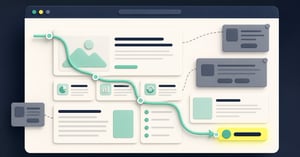
A calm visitor path moving through useful website content towards one proportionate persistent action
Rich Tank10 Aug 267 min read

Design for attention, not interruption

A visitor opens a comparison guide because they want to understand two options. Before the comparison starts, a pop-up asks for an email address. Behind it sits a chat invitation. A bar at the bottom asks them to book a demo. The site has three ways to move them forward and has not yet helped them take the first step.

That is an attention problem. The visitor came with a task; the site answered with its own requests. Each request may have an owner and a target. Together they ask for commitment before giving the context needed to choose.

Design for attention by making the useful next action easy to notice when its value makes sense. Use interruption when a response is necessary or the visitor has deliberately asked for it. A persistent action can be helpful, but its presence does not earn a click. The page still has to explain why that action is worth taking.

Let the page make its case before asking for a decision

Picture the order in which a person encounters a page. First they see the promise in a search result, ad or link. Then they arrive and check whether the heading and first screen deliver it. They scan the evidence. Only then can they judge whether the next step is useful.

An early prompt can break that sequence. If an ad promised a comparison but the landing page immediately demands “Book a demo”, the visitor has to decide whether to trust a sales conversation before seeing the comparison. The fix starts with the page: give the promised information, show what changes between the options, then offer help at the point where help has a clear job. This is also where post-click message match matters: the page after a click should visibly carry through the promise that made someone click. Follow the words from ad or link to heading, first proof and next action; if those steps change the subject, repair the gap before adding another prompt.

This is not a rule that every CTA must sit at the bottom. A visitor who already knows what they want may need a visible route straight away. A clear top-of-page action can serve them while the full explanation remains available to everyone else. The design question is whether the action assists a ready visitor without forcing every other visitor to decide too soon.

Separate visibility from interruption

There are several ways to make an action findable. An inline link can sit next to the evidence it follows. A restrained bar can keep one route available on a long page. A toolbar can hold a small set of recurring actions. A pop-up or modal can stop the journey and demand a response. These are different costs, not merely different styles.

An interstitial is a screen or overlay placed between the visitor and the content they came to see. Google Search Central advises against intrusive promotional interstitials and recommends small banners where a banner can keep content accessible. The guidance is about the experience and access to content, not a promise that any banner will improve search rankings or sales.

Ask three questions before moving to a stronger pattern:

  1. What has the visitor already learned? If they have not seen the offer or evidence, an invitation to commit may be premature.
  2. What happens if they ignore it? If they can continue the task, why block them? If a response is genuinely required, explain why.
  3. Can they find it again? A useful action should not require repeated pop-ups. It can remain in the page, navigation or a modest persistent layer.

Make dismissing an optional prompt a real choice. A close button should close it. It should not reappear on the next paragraph because a different campaign tool happened to own that rule. When several tools can ask for attention, design their combined behaviour. The website widget budget offers one way to agree which prompt gets the space.

Work through a page before designing its prompt

This is an illustrative example, not a Barrava customer result. A B2B software company publishes a guide comparing its basic and advanced plans. The company wants demo requests. The guide is long, and the current page shows a demo pop-up after eight seconds, a chat launcher and a floating demo button.

The team starts with the visitor's task: understand which plan fits a small team and which requires a more involved setup. It inspects the page. The first screen explains neither difference; it leads with a product claim and the pop-up. Before changing the prompt, the team rewrites the opening to state the actual choice. A short table shows who each plan is for and one limit that matters. The detailed sections follow.

Next it places “See the plan details” beside the table and “Talk through a complex setup” after the section that explains implementation trade-offs. The top of the page still offers a calm demo route for visitors already ready to talk. The automatic pop-up is removed from this guide. Chat remains available as help, not an opening demand. On mobile, the team checks whether the floating action covers the table or consent choice; if it does, the action must move, yield or leave that page.

The team then decides what to measure. Demo-button clicks are one signal, but completed requests and qualified conversations matter more. It also checks whether visitors reach the plan details, whether they return to the comparison after opening chat, and whether mobile users can use the table and form. These are questions for an actual test, not claimed results. If the new page helps people compare but fewer qualified visitors can find the demo route, the team should restore a clearer visible action. If the route is clear and the page task improves, it has a stronger case for leaving the pop-up off.

The important order is easy to miss: fix the promise and evidence, then decide how loudly to ask. Making the prompt prettier would not have supplied the missing comparison.

Make restraint a team decision

“Be less intrusive” is too vague to survive the next launch request. Give every new prompt a short decision record: the visitor job, the pages and states where it helps, the point at which the visitor has enough context, its owner, an end or review date, and the outcome to inspect. Name what it displaces. A prompt that serves a real need can pass; a prompt that only “increases engagement” needs a sharper case.

This does not mean all interruption is bad. A visitor may open a contact form and expect a dialog. A transaction may need confirmation. Some sites have required access or consent steps. When a modal is the right shape, build it properly. The W3C dialog guidance explains keyboard focus, Escape and close behaviour. A high-priority task is not an excuse to make the control hard to leave or use.

After launch, compare the intended action with the visitor's wider progress. A prompt click is not a booked meeting. An email submitted to view content may be a poor signal if the person only wanted the promised answer. Google Analytics can record the interaction events; the team must decide which events represent understanding, completed action and useful downstream quality. Read mobile and desktop separately where their layouts differ. Watch for errors, dismissals and obscured controls as well as clicks.

Give useful actions a sensible home

Barrava's current website toolbar is one practical way to keep selected actions accessible without making each one a separate floating prompt. Its modules have an explicit order; CTA buttons are modules in that order; device visibility can reduce the mobile set. The docked version can reserve page-bottom room, while the floating version overlays the page. Those settings let a team choose a calmer arrangement, but they do not determine visitor intent, automatically time a campaign to the right moment, or replace a specialist chat or consent provider. The site owner still needs to review the page with its real content and other tools present.

A useful next step is to open one important page on a phone and write down every request it makes before the visitor can complete the main task. Keep the actions that help at that moment. Move the rest to the point where their value becomes clear, or remove them. Barrava's website toolbar may be the right place for the recurring routes; the page's own content should do the work of earning attention.

avatar
Rich Tank
Rich Tank is a founder, consultant and product-minded marketer with experience across growth, CRM, digital strategy and user experience. He has spent his career helping businesses improve how they attract, convert and support customers online. He writes about digital experience, website journeys, marketing technology and the broader challenge of creating websites that are both effective and easy to use. Based in London, Rich is particularly interested in the intersection of user behaviour, conversion and product thinking.

RELATED ARTICLES